The receipt scanner that reads every line item
Photograph a receipt and every product on it becomes its own entry, with a price, a category and a tag you can search and report on.

Free download for iPhone and iPad.
Subscription required to scan.
Corner Market
10/28/2026USD
Items (8)
- BananasGroceries · Fruit$0.71
- Whole milk, 1 galGroceries · Dairy$3.89
- Sourdough loafGroceries · Bread$5.49
- Penne pastaGroceries · Pasta$1.79
- Extra virgin olive oilGroceries · Oil$8.99
- Dish soapHousehold · Cleaning$3.29
- AA batteries, 4 packHousehold · Batteries$6.49
- Sparkling water, 6 packGroceries · Drinks$4.99
- Subtotal
- $35.64
- Tax
- $0.78
- Total
- $36.42
Most receipt apps stop at the total
A typical scanner saves
Corner Market$36.42
One line. The batteries and dish soap count as food, and you cannot search for anything you bought.
Itemize AI saves 8 items
- Bananas
- Whole milk, 1 gal
- Sourdough loaf
- Penne pasta
- Extra virgin olive oil
- Dish soap
- AA batteries, 4 pack
- Sparkling water, 6 pack
8 items, 2 categories and 8 tags, plus the tax, the total and the date. Each product is searchable on its own and lands in the right part of your budget.
Inside the app
Scan a receipt, check the items it found, then see your spending by category and by tag. These are real screens from the iPhone app.
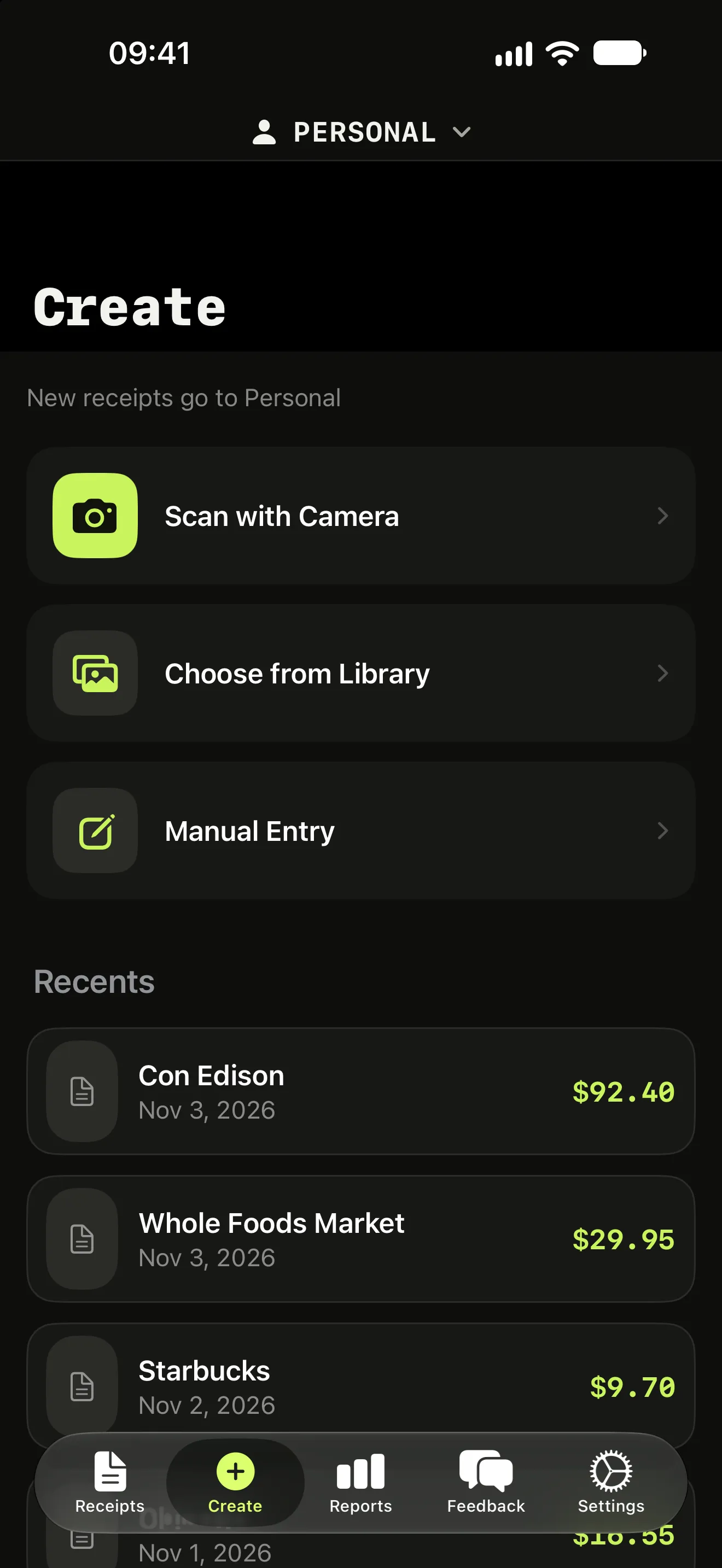
Scan, pick from your photos or type it in
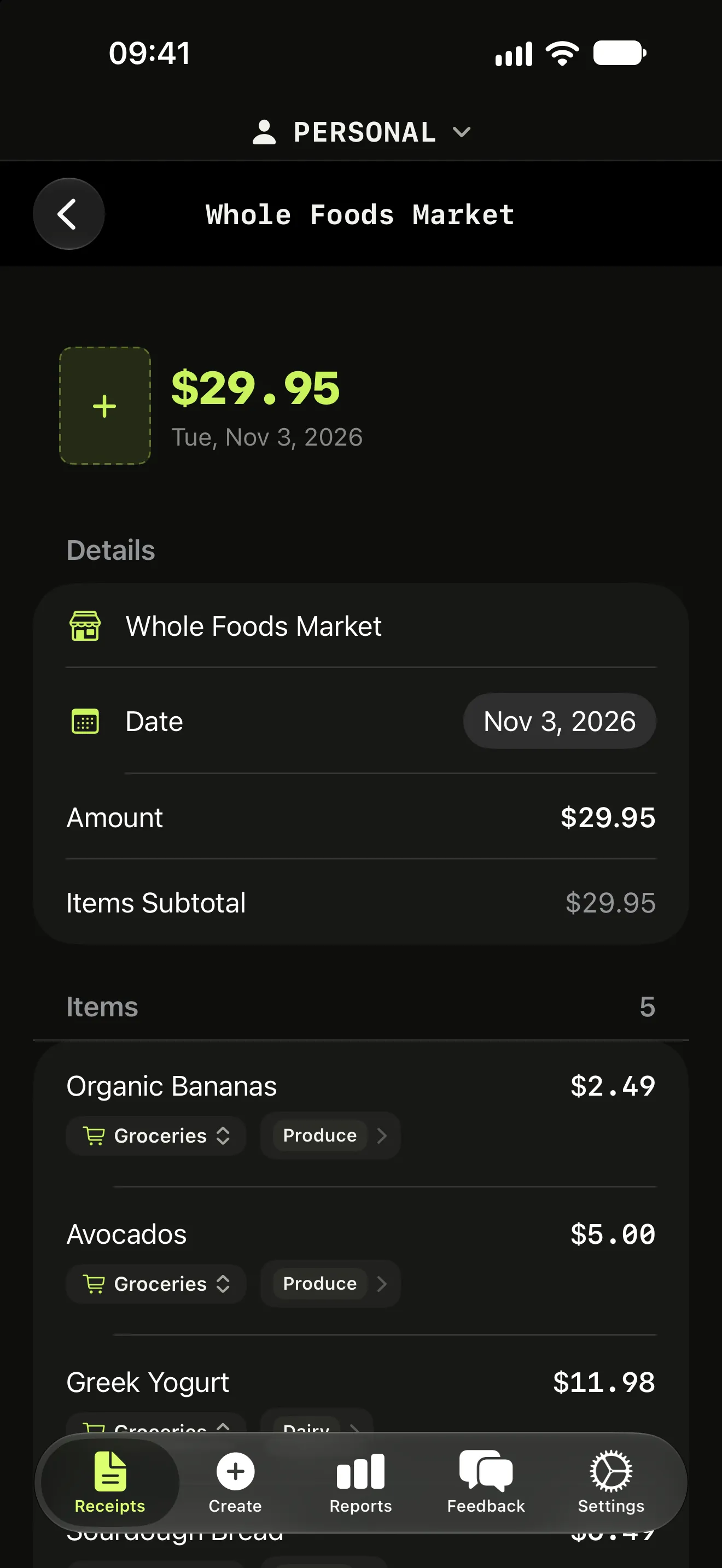
Each line item, with a category and a tag
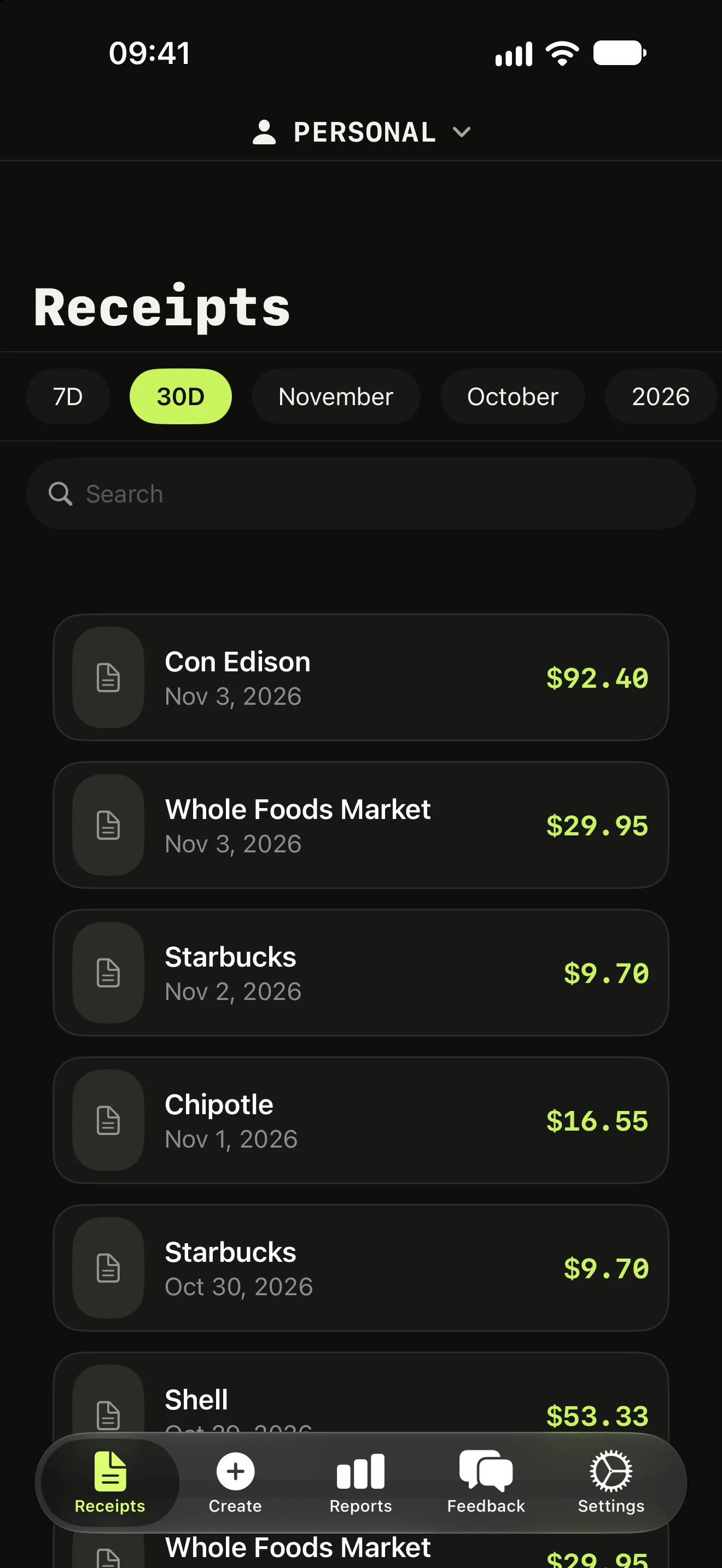
Every receipt, filed in its Space
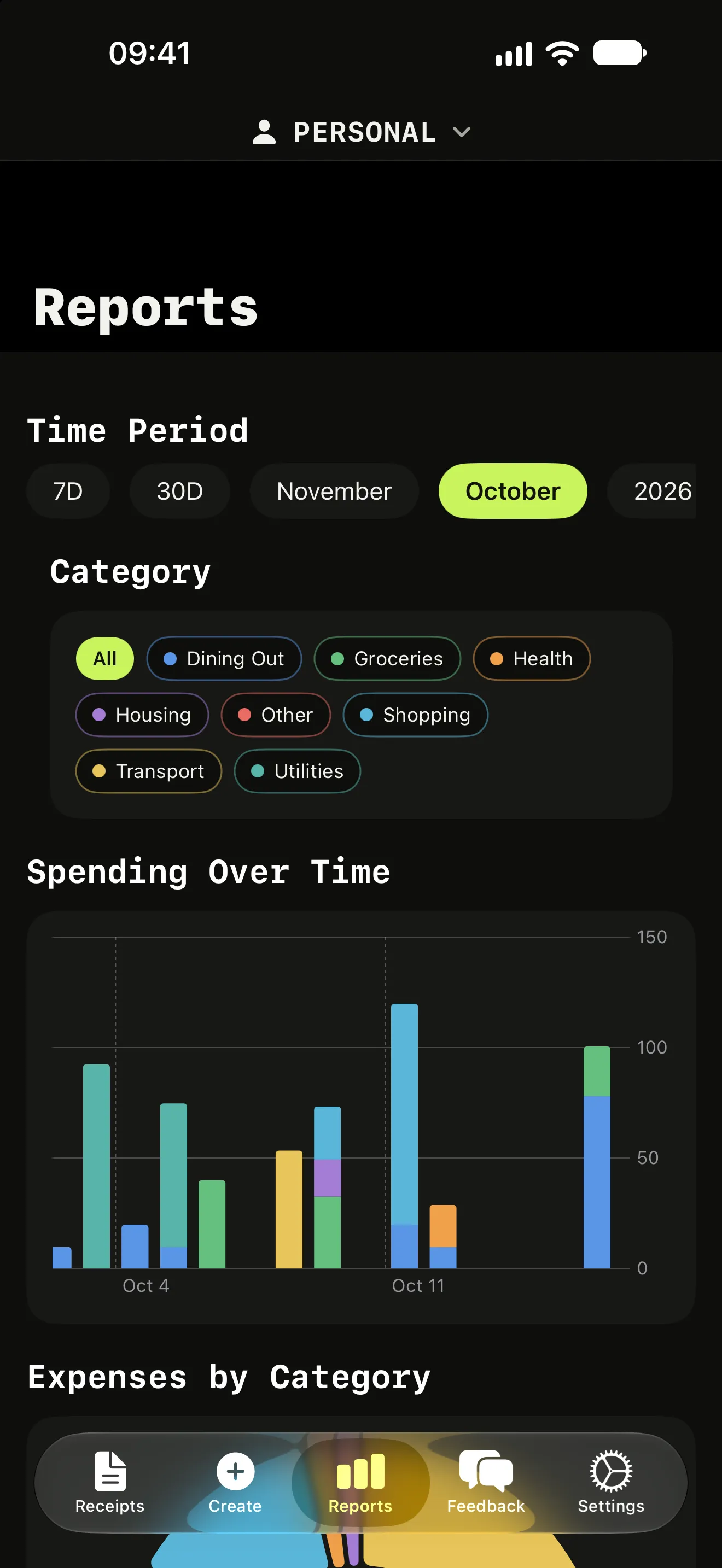
Spending over time, by category
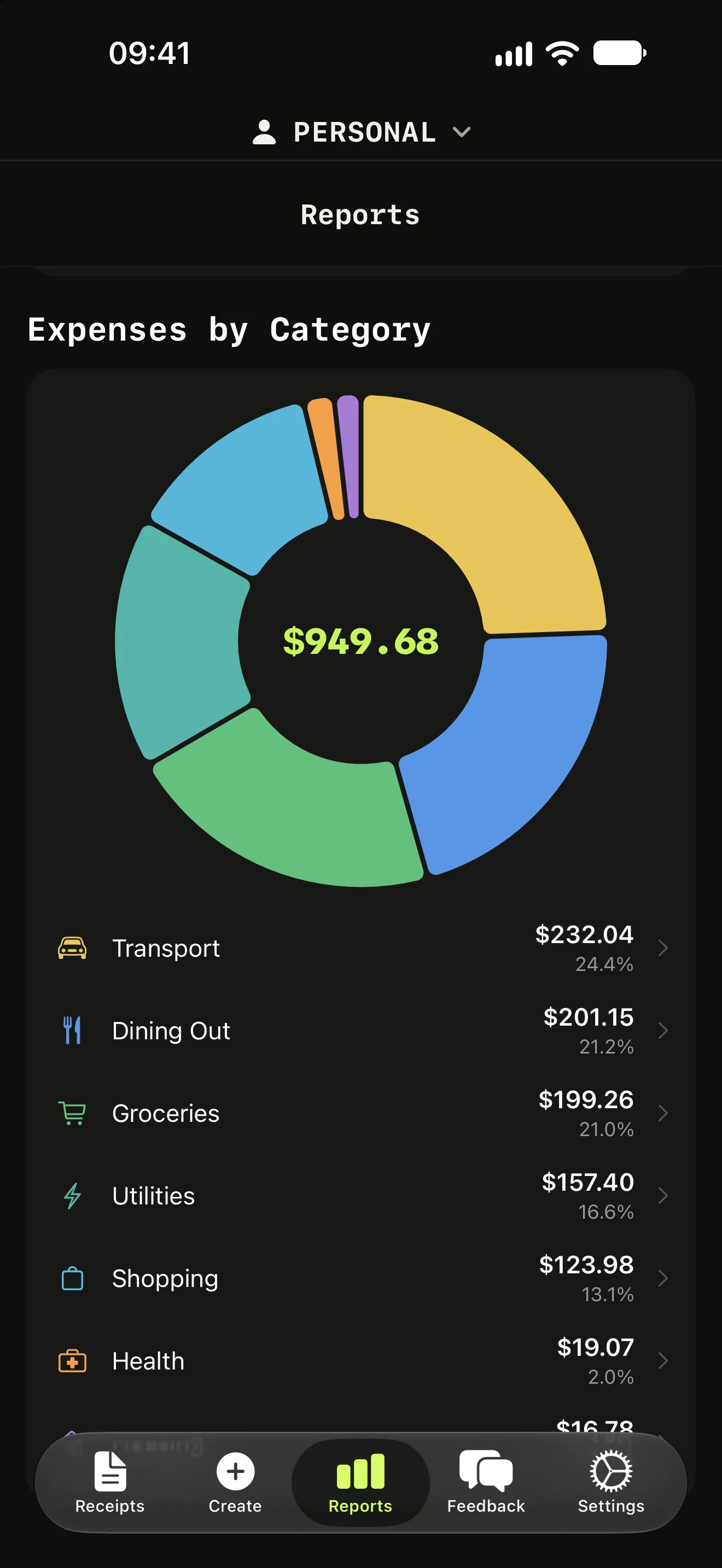
Where the money went
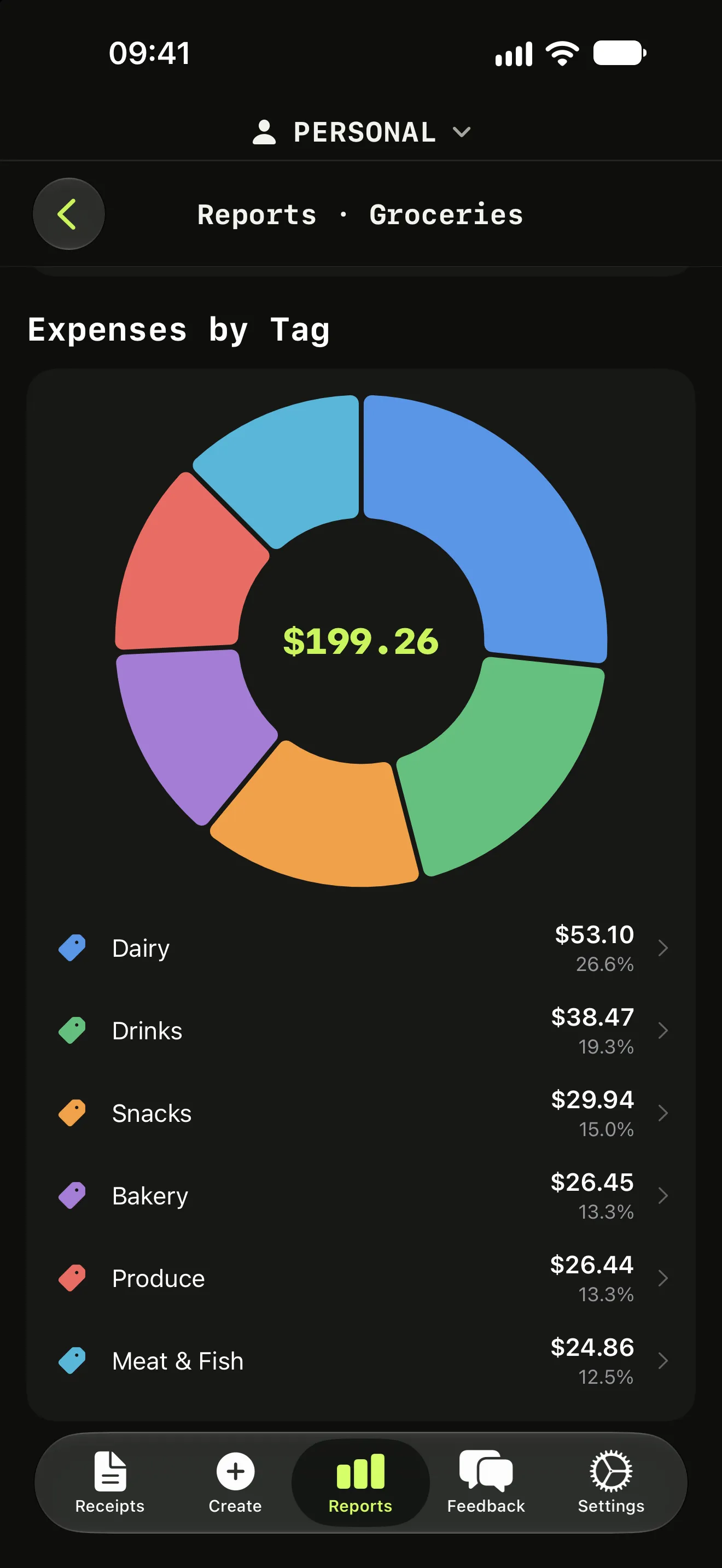
Drill into a category by tag
What people use it for
Grocery budget
See how much of each supermarket run went to food, drinks, snacks and household items.
Receipts to a spreadsheet
Export every item to CSV and open it in Excel, Google Sheets or Numbers.
Travel in any currency
Scan receipts abroad and see each item in your home currency at the rate of the day.
Freelance expenses
Separate business items from personal ones, even when they share a receipt.
How it works
Scan
Take a photo, scan several receipts at once, or start from the home screen and lock screen widgets.
Extract
AI reads the merchant, the date and each product, then assigns a category and a tag in your language.
Use the data
Search items, read reports by category, keep separate Spaces, and export to CSV.
Features (4)
Before you download
- DownloadFree
- Scanning and reportsWeekly or yearly subscription
- Works oniPhone and iPad with iOS 18+, Apple silicon Macs
- LanguagesEnglish, Italian, German, French, Spanish
- Receipt photosProcessed by Google Vertex AI, then not stored
Details in the privacy policy.
Questions (5)
What makes Itemize AI different from other receipt scanners?
Most receipt scanners save the store and the total. Itemize AI extracts every product on the receipt with its price, assigns a category and a specific tag to each one, and lets you search and report on items.
Is Itemize AI free?
It is free to download. A weekly or yearly subscription is required to use the app features.
Which devices does it run on?
iPhone and iPad with iOS 18 or later, and Macs with Apple silicon.
What happens to my receipt photos?
Photos are sent securely to Google Vertex AI for processing and are not stored by Itemize AI afterwards. Google does not use this data to train its foundation models.
Which languages are supported?
English, Italian, German, French and Spanish. Categories and tags are generated in your language.
Scan your next receipt and see every item.
Free to download for iPhone and iPad. A weekly or yearly subscription unlocks scanning.