Every line on the receipt becomes an item you can search
Most scanners save the store and the total. Itemize AI reads the merchant, the date and each product you bought, then files every item under a category and a specific tag.

Free download for iPhone and iPad.
Subscription required to scan.
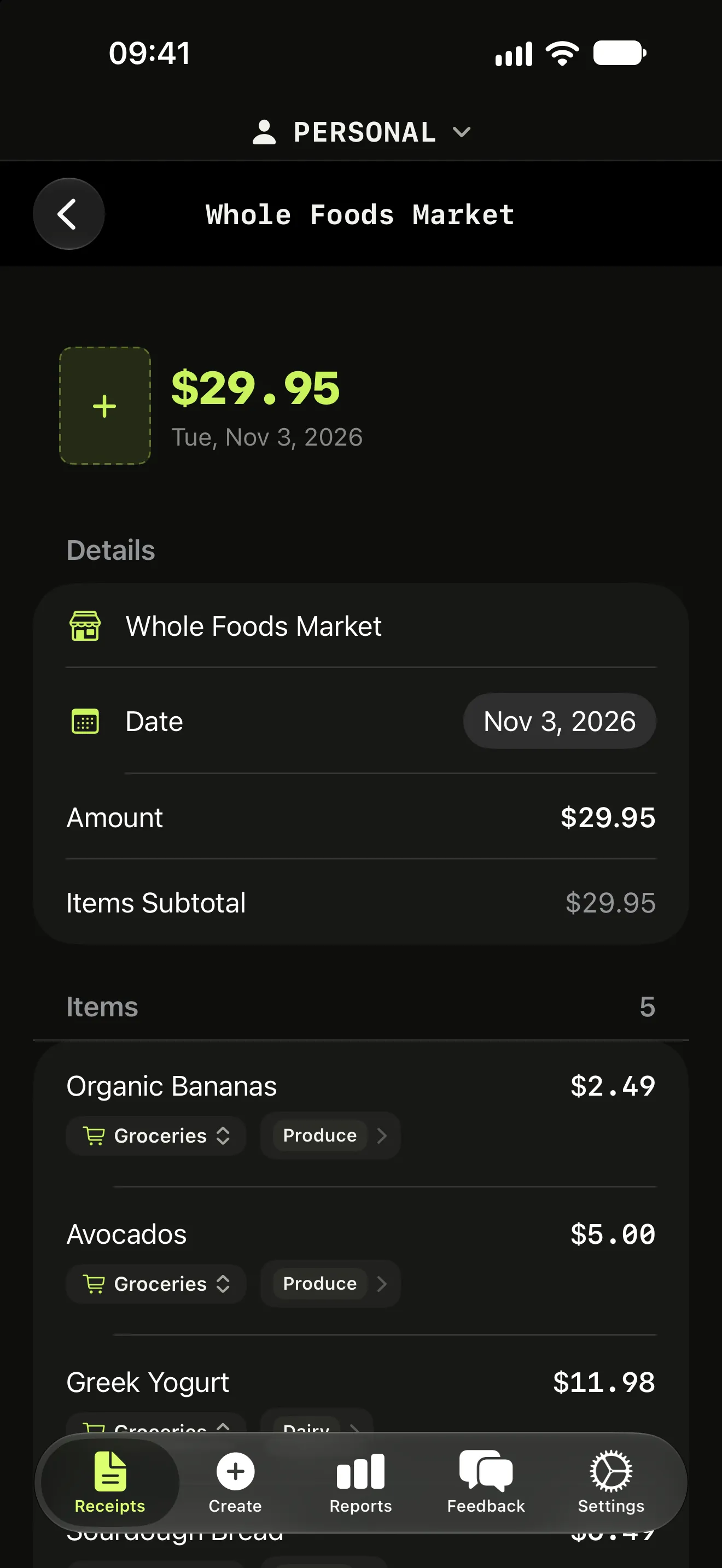
What gets extracted
From one photo, Itemize AI captures the merchant name, the purchase date and every individual product with its price. Abbreviated printouts like "WHL MILK GAL" become readable items like "Whole milk, 1 gal".
Each item gets a broad category such as Groceries, Transport or Tech, and a specific tag such as Pasta, Fuel or Cables. Tags are written in your language, so reports read naturally whether you use the app in English, Italian, German, French or Spanish.
Why item level matters
A total tells you that you spent $36 at a supermarket. Items tell you that $9 of it was olive oil and $6.49 was batteries that belong in the household budget. That is the difference between knowing where you shop and knowing what you buy.
Because every item is stored on its own, you can search for a product across months of receipts, filter reports by category, and see how much of each shop went to what.
Long receipts, several at a time
Scan several receipts in one go, or add a receipt by hand when you only have a card slip. Every extracted item stays editable, so a misread price or name takes a tap to fix.
More features
Itemize AI / Features / Line-item extraction
Questions (3)
How do I get the most accurate scan?
Lay the receipt flat in good light and keep the whole receipt in the frame. Every extracted item stays editable after the scan.
Which languages can it read?
The app interface is available in English, Italian, German, French and Spanish, and categories and tags are generated in your language.
Are my receipt photos stored?
Images are sent securely to Google Vertex AI for processing and are not kept by Itemize AI after processing. Google does not use this data to train its foundation models.
Scan your next receipt and see every item.
Free to download for iPhone and iPad. A weekly or yearly subscription unlocks scanning.