Export receipt items to CSV, one row per item
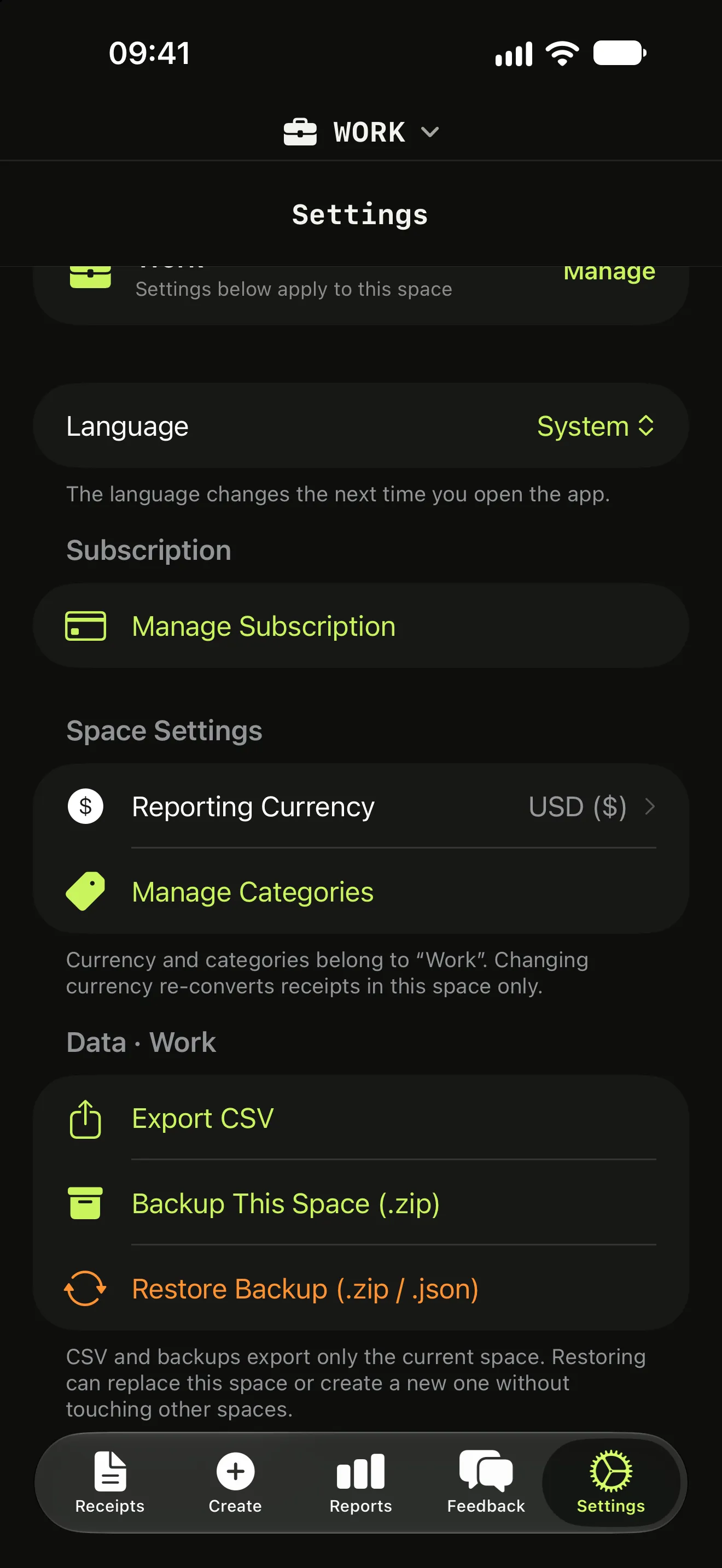
Itemize AI exports your receipts as a CSV file with one row for each item, ready for Excel, Google Sheets or Numbers, so nothing gets retyped by hand.

Free download for iPhone and iPad.
Subscription required to scan.
What the file contains
Each row is a single item, together with details of the receipt it came from. Pivot tables, budgets and tax worksheets can then work on items directly, not on receipt totals.
Backups included
Besides CSV, the app can back up and restore your whole receipt library, so moving to a new iPhone does not mean starting over.
More features
Itemize AI / Features / CSV export
Questions (2)
Does the CSV open in Excel?
Yes. CSV opens in Microsoft Excel, Google Sheets, Apple Numbers and most accounting tools.
Is my receipt library backed up?
The app includes backup and restore, so you can bring your receipts to a new device.
Scan your next receipt and see every item.
Free to download for iPhone and iPad. A weekly or yearly subscription unlocks scanning.