Receipts in any currency, converted at the rate of the day you paid
Scan a receipt in yen, pounds or dollars and Itemize AI shows the cost in your home currency right away. It keeps the original amount and the converted value, using the historical exchange rate for the receipt date.

Free download for iPhone and iPad.
Subscription required to scan.
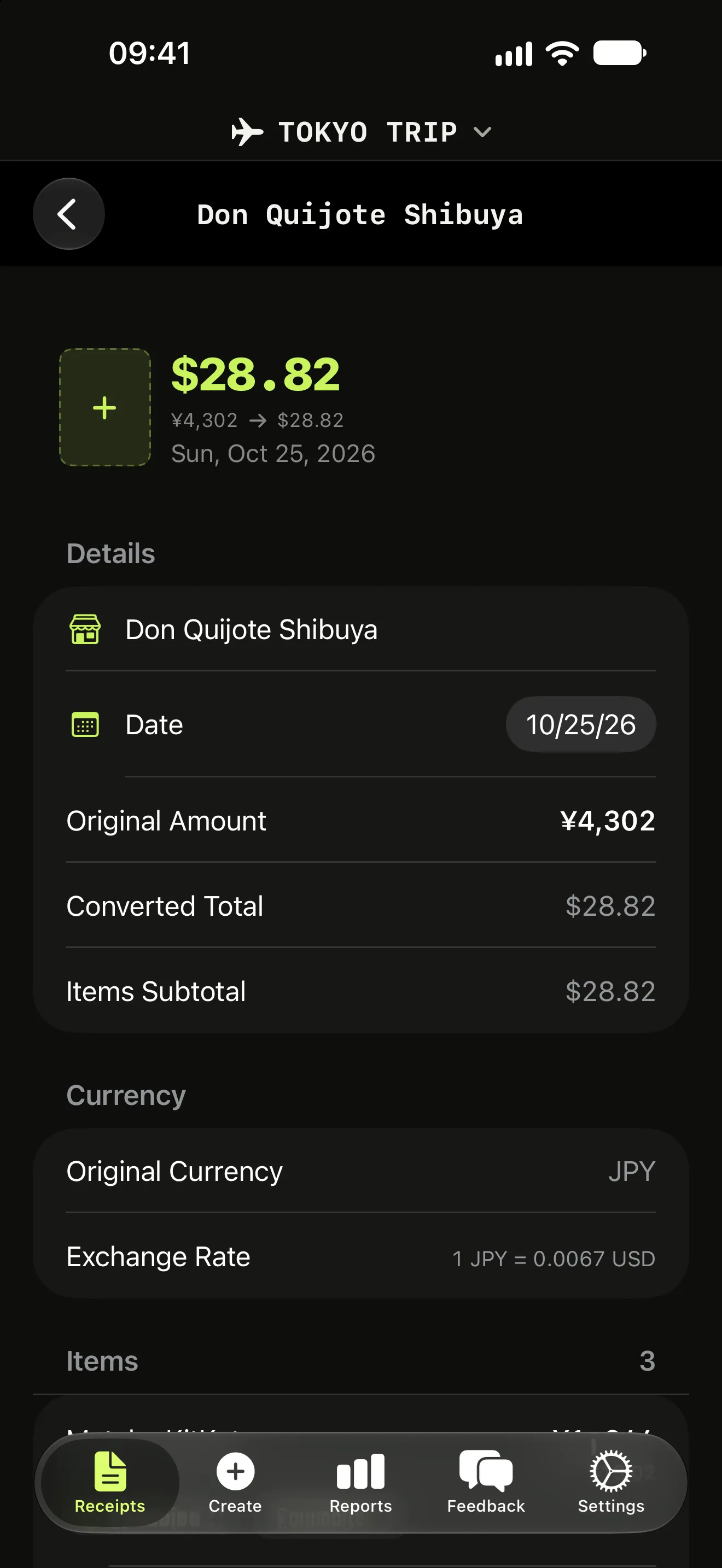
Original and converted, side by side
Converting with today's rate makes last month's trip look cheaper or more expensive than it was. Itemize AI uses the rate for the date printed on the receipt and stores both numbers, so your reports stay accurate when you look back.
Built for trips and cross-border work
Travelers see what a week abroad really cost, item by item. Freelancers who buy equipment or pay for meals abroad keep the original receipt amount for their records and the converted amount for their budget.
More features
Itemize AI / Features / Multi-currency
Questions (2)
Which exchange rate does Itemize AI use?
The historical rate for the date on the receipt, so the converted value matches what the purchase was worth when you made it.
Can I change my home currency later?
Yes. The original amount is always stored next to the converted value, so nothing is lost when your home currency changes.
Scan your next receipt and see every item.
Free to download for iPhone and iPad. A weekly or yearly subscription unlocks scanning.